
Spend Customisation gives Admins granular control over what each card can and cannot be used for. Instead of a single spending limit, you can restrict or allow specific categories of merchants — per card. This feature is only available for Plus Plan Users.
This feature is available on the Plus plan only. See plan comparison →
The 7 Spending Categories
Every card can be toggled on or off for the following categories (only :
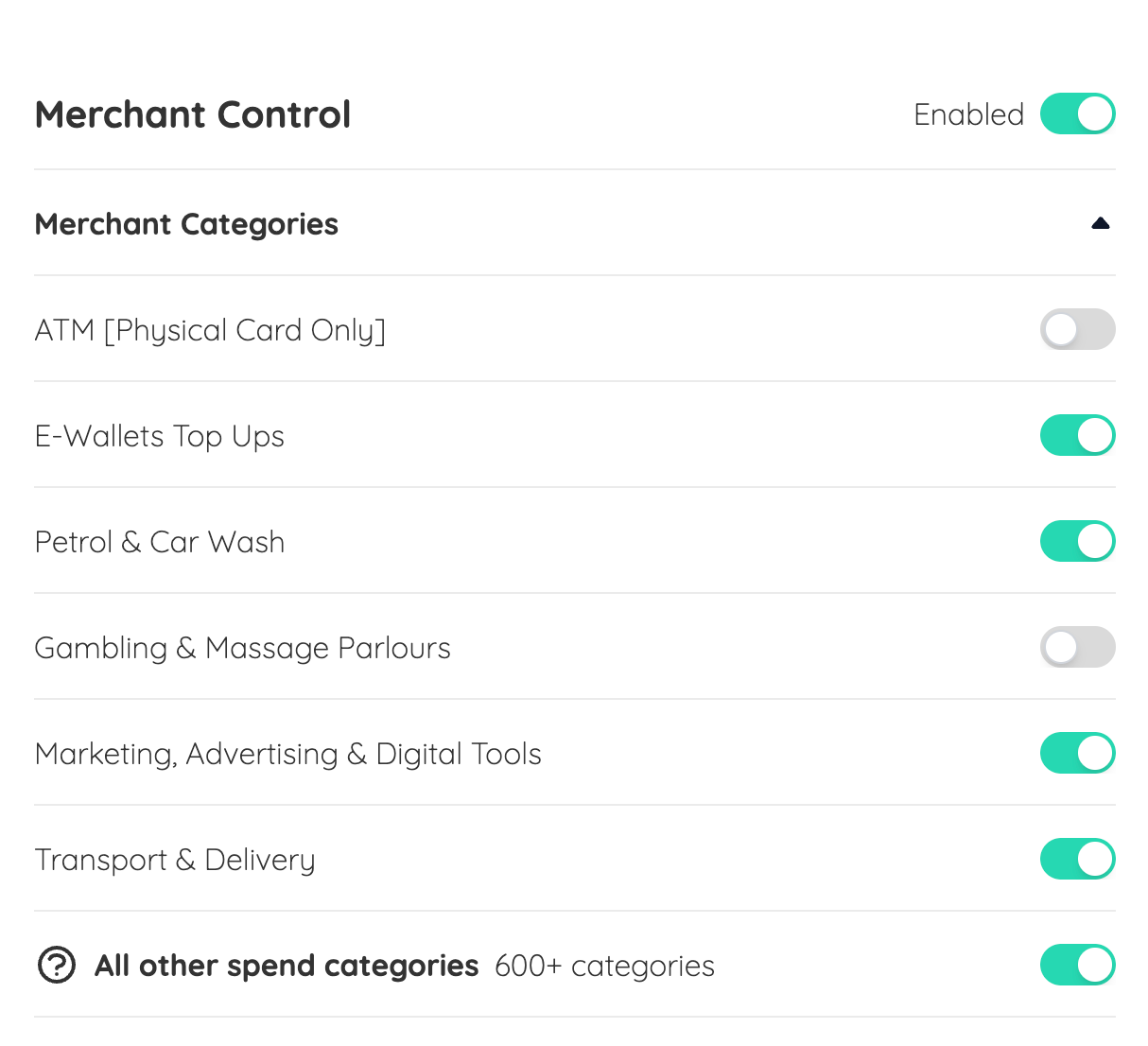
A green toggle means the category is enabled — the card can be used at merchants in that category. Switching a toggle off means any transaction at a merchant in that category will be declined.
How to Set Up Spend Customisation
Step 1: Log in to your Admin Dashboard and go to Cards
Step 2: Select the card you want to customise
Step 3: Find the Merchant Control settings panel
Step 4: Toggle each category on or off based on what you want to allow
Step 5: Click Save to apply your changes
⚠️ Please note: Changes can take up to 5 working days to take effect. Plan your restrictions in advance.
Three Ways to Use It
Scenario 1 - Restricting Specific Categories
disable.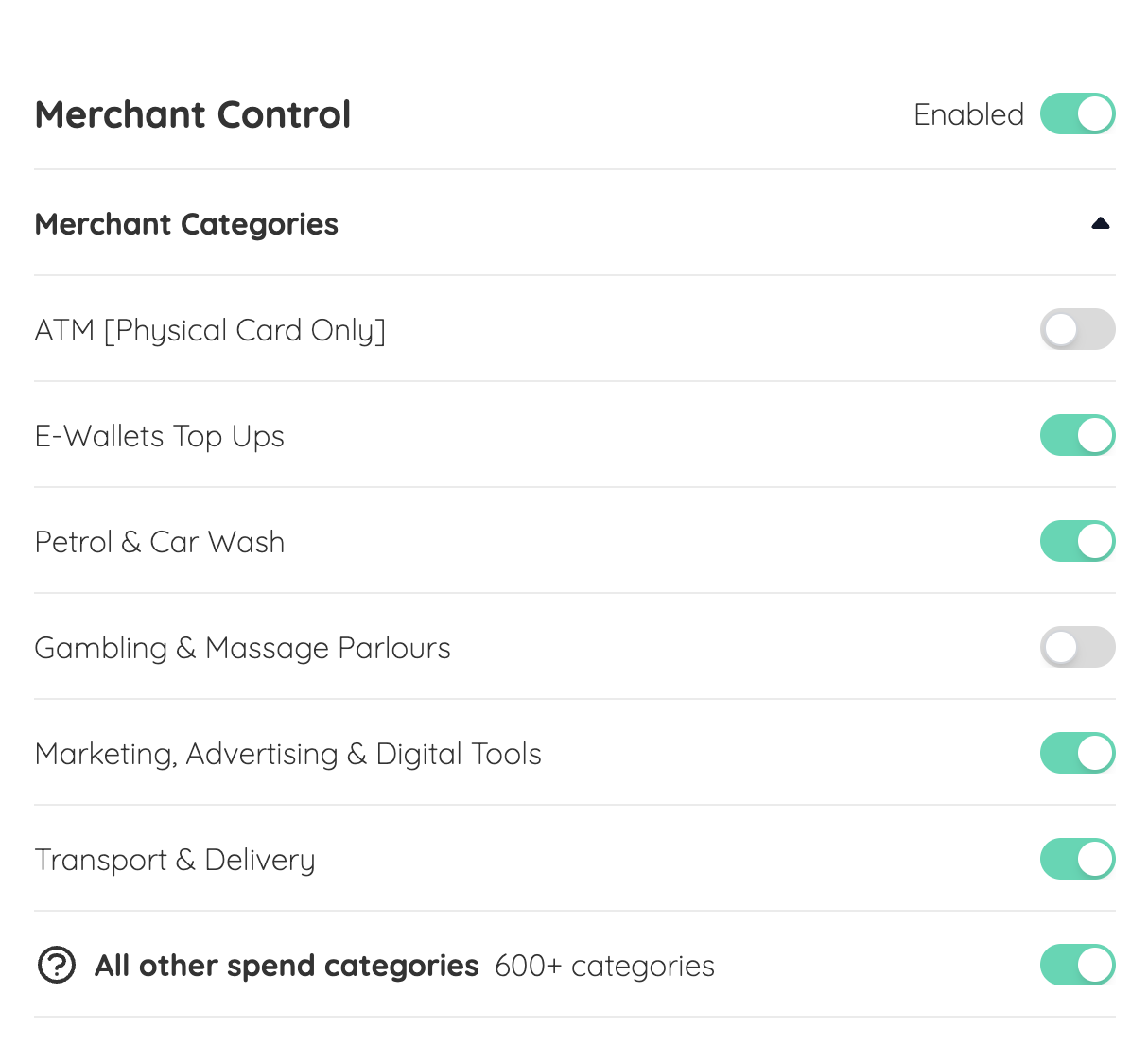
- Gambling & Massage Parlors
- Petrol & Car Wash
DeclinedScenario 2 - Only Allowing Specific Type of Spend
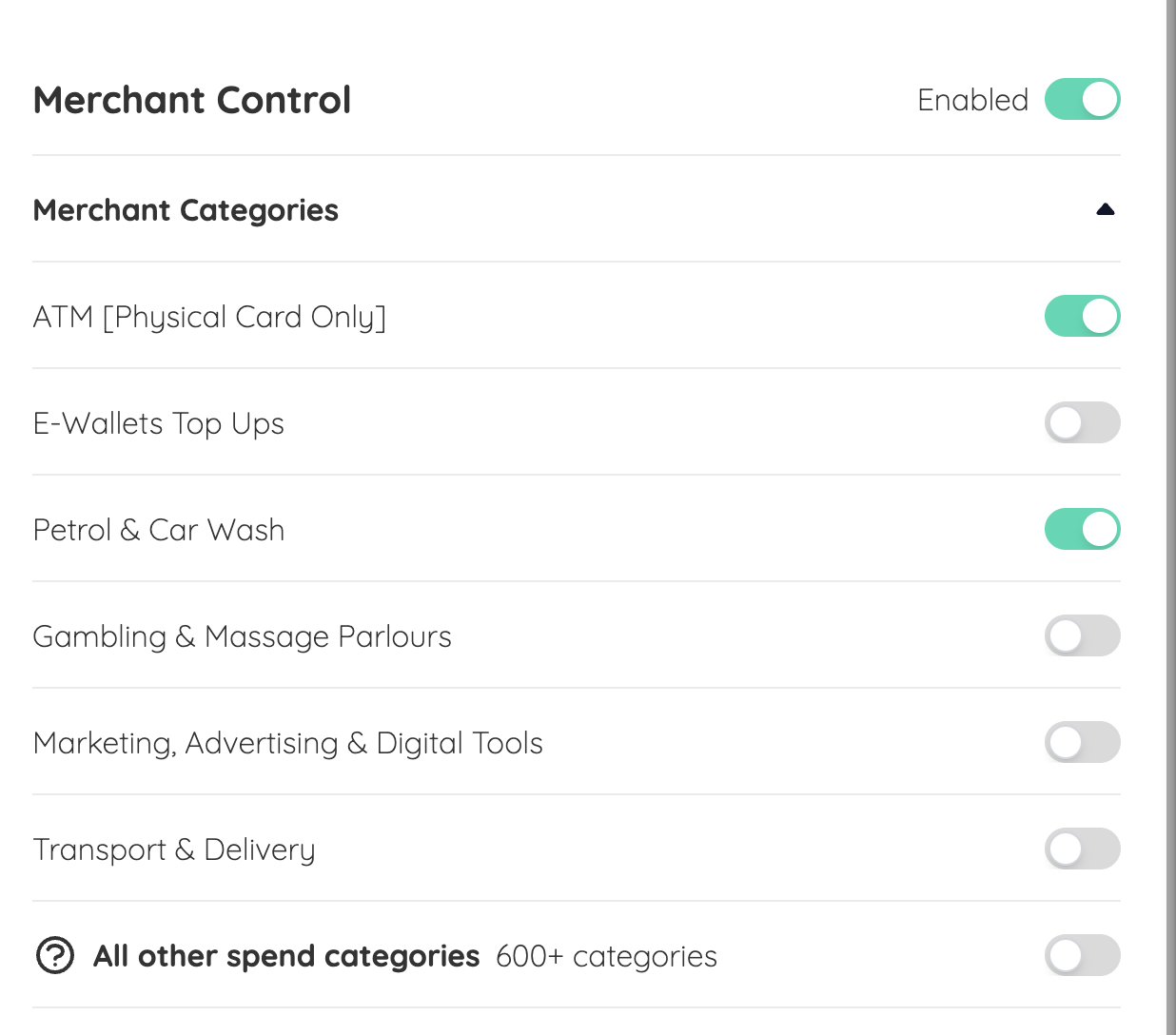
toggled off. Saving these changes, means that apart from the 6 categories shown, the card cannot be used for other types of expenses!- Petrol & Car Wash
- ATM Withdrawal
DeclinedScenario 3 : Switching Off Merchant Control
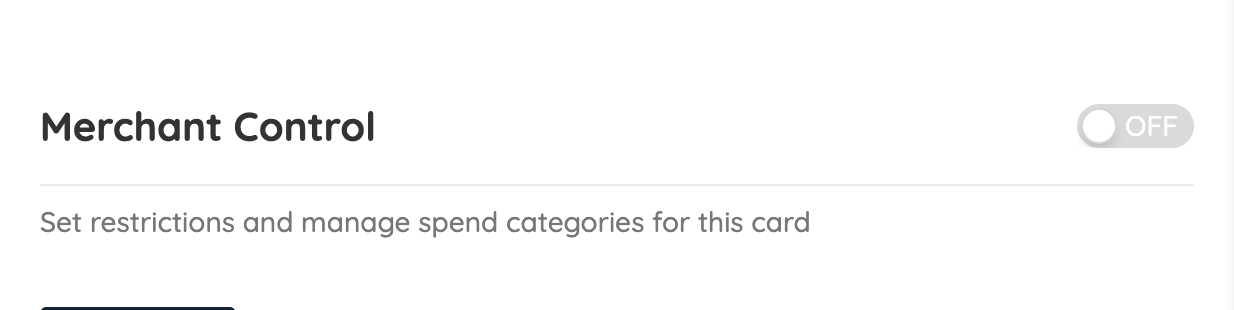
toggled off and saving these changes would indicate that this card has been cleared of any specific restriction placed. Psstt! It may take up to 5 working days for your changes to be saved and restrictions to be applied to any card
You may also watch this short video on how to use spend customization:
Need Help?
If you’re unsure how to customise spend for each card you have issued:
💬 Chat with us on WhatsApp
📞 Book a 15 min call and we’ll guide you through best practices
Common Questions
How long do changes take to apply?
Up to 5 working days. If you need a restriction removed urgently, contact us on WhatsApp.
Can I set different restrictions for different cards?
Yes — Spend Customisation is set per card. Each card in your company can have its own unique configuration.
What happens if an employee tries to spend in a restricted category?
The transaction will be declined at the point of payment. The employee will not be able to complete the purchase.
Can employees see which categories are restricted on their card?
No — only Admins can view and manage Spend Customisation settings.